
If you don't have a website to sell SMM services under your own brand, a child panel can give you a ready-made storefront. If you already run a website, API integration may allow you to send orders to a provider through your existing system. When comparing child panel vs API integration, the question is who manages your sales software and how much control you want as your business grows. A child panel can also use an API behind the scenes, so the distinction lies mainly in how the panel itself is managed.
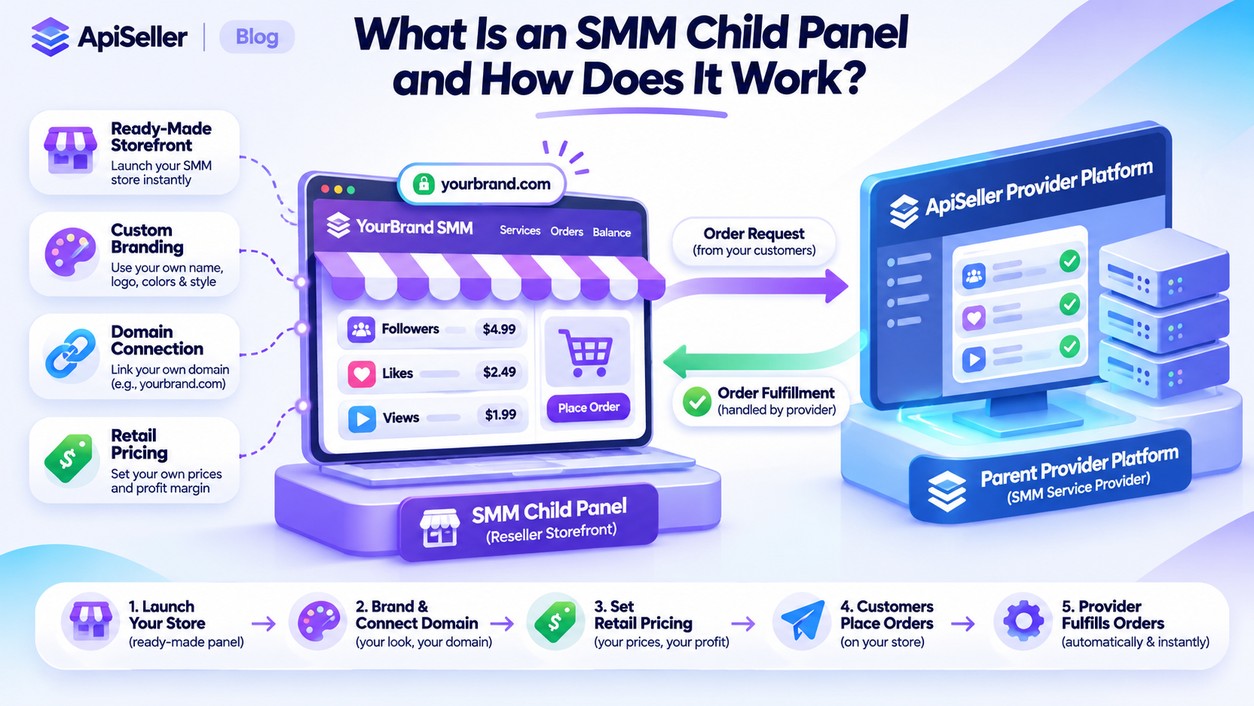
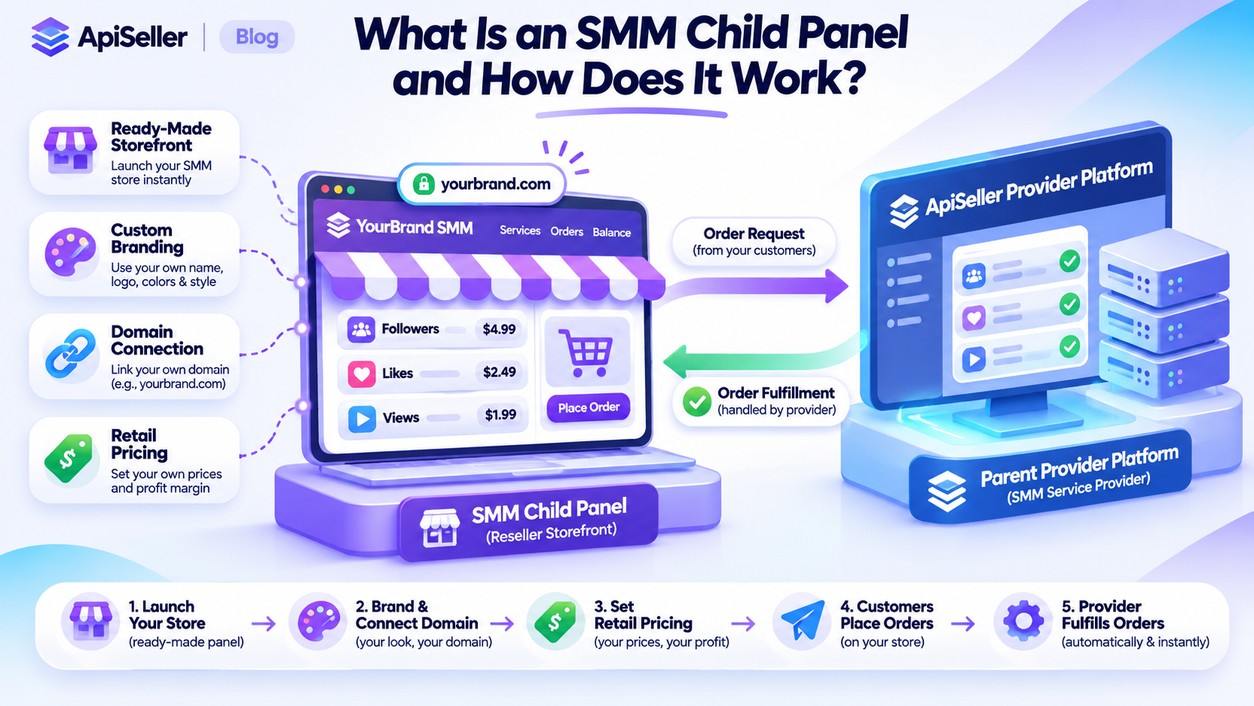 A child panel is a ready-made SMM reseller panel connected
to a parent provider's infrastructure. It allows you to sell services under
your own brand, using your logo, domain name, and retail prices where the
provider's terms permit. When a customer places an order through your panel,
the request is forwarded to the parent provider, and the service cost is
usually deducted from your balance with that provider.
Your customers can track their orders through your branded
storefront, while the underlying provider handles service fulfillment. Your
ability to hide services, reorganize categories, or manage customer accounts
depends on the features included in your child panel package. Having your own
storefront therefore does not mean that you own or have full control over the
software running it.
SMM panel API integration allows your website or application
to exchange information with a service provider. For example, when a customer
purchases a video views package, your system can send the relevant service ID,
video URL, and requested quantity through the API. The provider returns an
order ID that your system can use to check the order's status.
Depending on the supported API functions, your software may
also retrieve service lists and prices, monitor order progress, or check your
account balance. An API connection does not automatically create customer
registration, checkout, or support pages, though. Those features must already
exist in your sales platform or be developed separately. Common SMM API
commands should not be assumed to work identically across different providers.
With a ready-made child panel, you don't need to develop the
storefront software from scratch. You configure the branding settings allowed
by the provider, connect your domain if required, and use the payment and
customer account features included in your package. Before getting started,
check which functions are available and whether additional configuration is
necessary.
Connecting an API to an existing website is different
because the site needs software capable of receiving customer orders and
forwarding them to your provider. If you already use compatible SMM panel
software, configuring the connection may be enough. A website containing only
informational pages, on the other hand, will need additional development for
order forms, user accounts, and payment processing. API integration does not
always require custom coding, but it does require a functioning sales system.
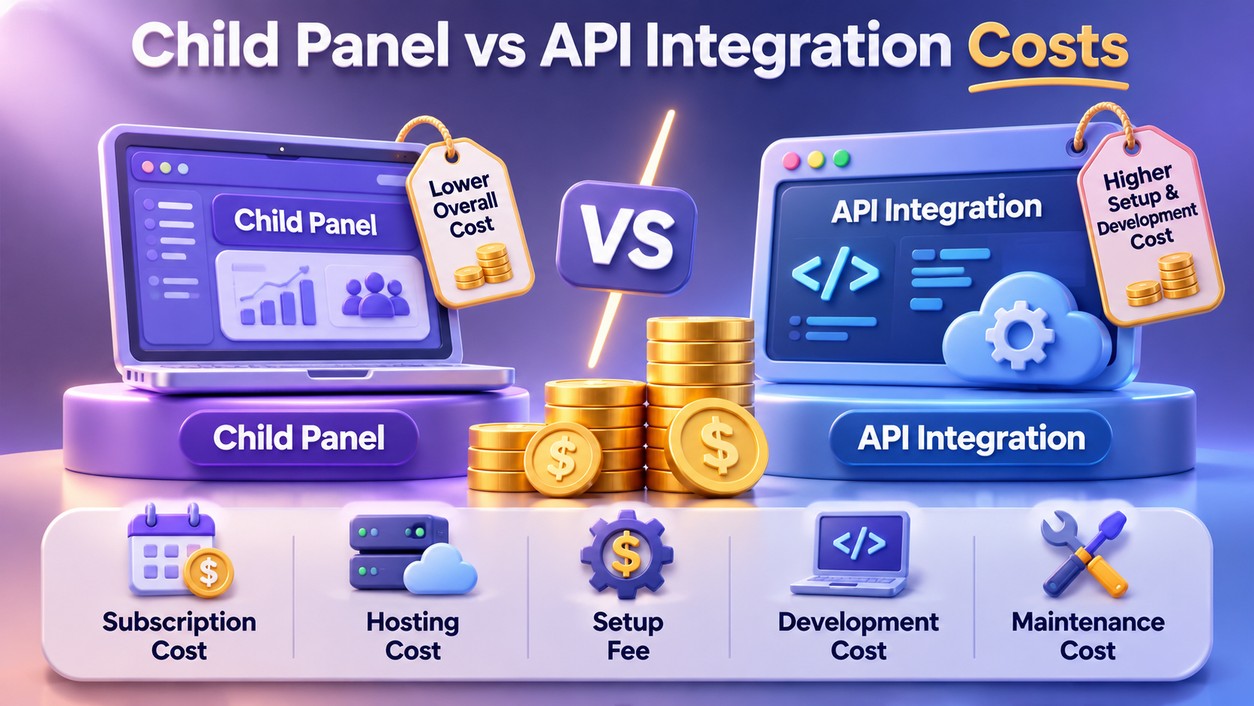 Some providers charge a setup fee for child panels, others
use monthly subscriptions, and some offer free panels to users who meet
specific eligibility requirements. Domain registration, payment processing, and
the services purchased from the parent provider may involve separate charges.
Looking only at the panel subscription therefore won't give you the full cost
of running the business.
Operating your own API-connected platform introduces other
expenses, including software development or customization, hosting, licenses,
and ongoing maintenance. Whether API access itself costs extra depends on the
provider's terms. Both models also require payment for the services ordered by
your customers. If you operate across different currencies, payment processing
fees and exchange rate changes can affect your actual costs.
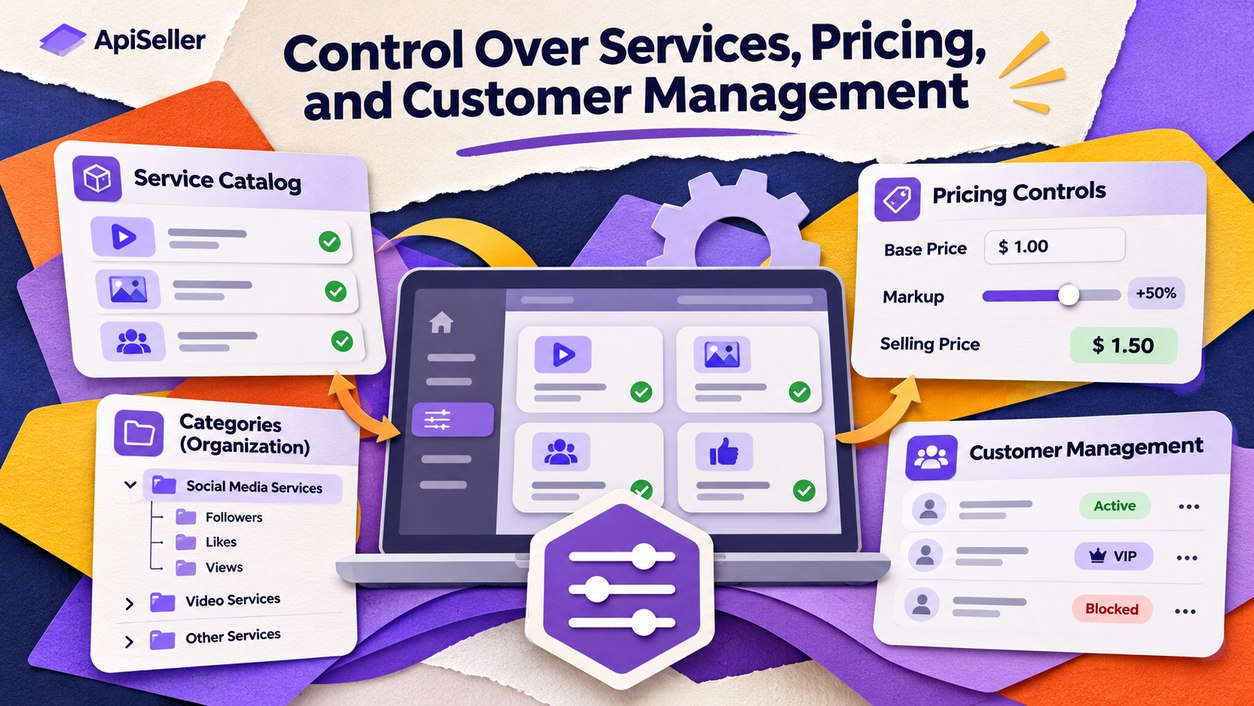 Many child panels allow resellers to set their own retail
markups, although the available service catalog and administrative settings
remain subject to the parent provider's permissions. With independent software,
you can create your own catalog structure, display different prices for
customer groups, and develop order forms suited to your business. These
capabilities still depend on what your software supports.
When a provider changes service IDs, prices, or order
limits, accepting orders using outdated information can cause errors. An
API-connected platform needs a way to update those details, since automatic
synchronization is not included in every system. How you view partially
completed orders, customer histories, and support records also depends on the
management tools available in your software.
With a ready-made child panel, the company providing the
platform usually handles much of the server and software maintenance. You are
still responsible for managing your customers and protecting your account. If
you operate your own API integration, software updates, error logs, and server
security become your responsibility or that of your technical team. Your API
key should be stored securely on the server rather than exposed in publicly
accessible website code.
Provider dependency is another consideration. A child panel
generally relies on the services of its parent provider, while independent
software may allow connections to multiple suppliers. That flexibility requires
support for multiple providers and correct service mapping within the software.
Moving customer records or existing orders to another platform may also require
separate arrangements.
|
Feature |
Child Panel |
API Integration |
|
Setup |
Ready-made reseller storefront |
Existing or newly developed sales software |
|
Technical requirements |
Usually less development work |
Compatible software or developer assistance |
|
Initial costs |
Depend on package and setup terms |
Depend on software and hosting |
|
Ongoing costs |
May include subscriptions and order costs |
May include hosting, maintenance, and order costs |
|
Customization |
Limited to available panel permissions |
Depends on the software's capabilities |
|
Pricing and catalog |
Subject to parent catalog and reseller settings |
Custom pricing and catalog rules can be developed |
|
Customer management |
Built-in panel tools |
Tools available in your own system |
|
Order tracking |
Status information shown by the panel |
Tracking interface built around API responses |
|
Technical maintenance |
Usually handled by the panel provider |
Handled by the reseller or software contractor |
|
Switching providers |
Subject to parent panel terms |
Depends on multi-provider support |
These differences describe common operating models rather
than guaranteed features. Domain management, customer data exports, and the
ability to connect additional providers may vary according to the service
agreement.
If you don't have a sales website or access to software
development support, a child panel may require less technical work because the
customer-facing interface is already available. Before choosing one, check the
domain requirements, supported payment methods, customer management features,
and recurring fees rather than relying on promises of easy setup alone.
If your customers already place orders through your website,
API integration may allow you to connect a provider without replacing your
existing sales process. Compatible software can also give you greater control
over custom pricing rules and connections to multiple providers.
You may decide to begin with a child panel and move to
independent software later. Before making that transition, find out whether
customer data, account balances, and open orders can be transferred and what
restrictions apply.
Some providers let you use a subdomain they supply, while
others require you to connect your own domain. The exact requirements depend on
the child panel package and its setup terms.
Not necessarily. If your website already has compatible
order management software, you may only need to configure the integration.
Otherwise, the functions needed to handle customer orders and communicate with
the provider must be developed.
That depends on the panel's data export permissions. Even
when customer account information can be exported, order histories and balances
may require separate migration arrangements.
No. Even when an API includes refill or cancellation
commands, individual services may not qualify for those operations. Eligibility
depends on the terms attached to each service.
You may operate both sales channels if your provider's
account and API terms allow it. Shared balances, customer records, and order
histories should not be assumed to synchronize automatically.
ApiSeller offers a Child Panel solution for operating a branded SMM reseller storefront and API access for connecting services to an existing sales platform. You can review the current service details and applicable requirements on ApiSeller before deciding which approach suits your business.