
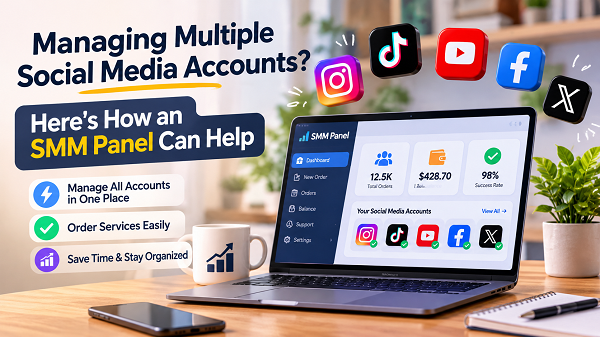
One account is already a daily job. You post, check engagement, answer people, watch what works. Now imagine five or ten accounts across different networks. The load gets messy fast, especially when every account wants different services.
A panel helps here. Instead of bouncing between sites or juggling providers, you order and manage a range of services from one dashboard. It won't run your content strategy or replace your whole toolkit. But if you regularly order engagement for several accounts, keeping it all in one spot makes the day a lot easier.
People run multiple accounts for plenty of reasons. A small business splits profiles for products and services. An agency handles client accounts. A creator keeps a presence on Instagram, TikTok, YouTube, and X.
The pain isn't just more profiles. Each account has its own audience, schedule, and goals. Some need followers, others need views, likes, or other engagement.
Ordering from separate providers turns into a mess fast. Separate balances, scattered order numbers, and you trying to remember which site you used for what. A single panel organizes that part of the job.
The most practical reason to use a panel is reach. You get services for several networks from the same account. Depending on the provider, the catalog may include:
· Instagram followers, likes, views, and other engagement services
· TikTok followers, video views, and likes
· YouTube subscribers, views, and engagement services
· Facebook page followers and post interactions
· X followers and engagement services
That variety pays off when your work spans account types. You don't relearn a whole ordering flow every time you switch networks. Catalog and conditions differ by panel, though. Check before you commit, especially if you work a specific network regularly.
With several accounts in play, orders get lost easier than you'd think. One client's service in the morning, another account later. Without a clear record, matching an order to a profile eats time.
Most solid panels keep an order history. You can review past and active purchases, with order IDs, service names, quantities, links, and status. That makes follow-up easy when something drags or you need to check an earlier buy. Agency owners and multi-profile managers should still keep a simple client-to-order record. The panel organizes transactions. You still own the client work.
Not every service fits every account. A TikTok profile chasing views needs something different from a Facebook business page. A YouTube channel may want views over other engagement. That's why details matter. A useful panel gives you enough to know what you're buying before you spend.
Worth reviewing:
Detail
What to look for
Service description
The type of engagement included
Minimum order
The smallest quantity accepted
Delivery estimate
The expected delivery period
Refill conditions
Whether replacement is available and under which conditions
Price
The cost compared with similar services
Don't pick on price alone. A cheap package is worthless if the description is vague or support is unreachable. Start small to learn how a service behaves before going bigger.
With several accounts, judge a panel on fit, not on the biggest catalog. Watch these before opening an account:
· Clear service information: You should know what a package includes without guessing.
· Reasonable pricing: Compare similar services and ask if the price fits your regular load.
· Order tracking: A good dashboard makes past orders and status easy to find.
· Customer support: When an order breaks, someone to contact saves time.
· Payment and balance options: Check deposits, minimum amounts, and payment methods.
Security counts too. A standard service needs a public profile link or username, not your password or verification code. Never hand over login details.
And remember, networks have rules on fake engagement. Paid services carry some account risk, and no panel can promise permanent results or protection from enforcement.
Can I manage multiple social media accounts with one SMM panel?
Yes. Most panels let you order for different networks from one customer account. You review orders in the same dashboard.
Are SMM panels useful for social media agencies?
They can be, for agencies that regularly buy engagement for client accounts. Service selection and tracking sit in one place, though content planning and client talk stay separate.
Which social networks are usually supported?
Depending on the provider, services may cover Instagram, TikTok, YouTube, Facebook, X, and more. The catalog varies.
Does an SMM panel automatically manage my social media accounts?
No. It's built for ordering services. It doesn't replace scheduling, content creation, message replies, or full strategy analysis.
What should I check before using an SMM panel?
Review descriptions, prices, delivery estimates, refill terms, payment methods, and support. Skip providers asking for your password or codes.
Can I use one SMM panel for personal and client accounts?
Generally yes. You can order for different profile links through one account, within the provider's terms. Keep your own record of which order belongs to which client.