
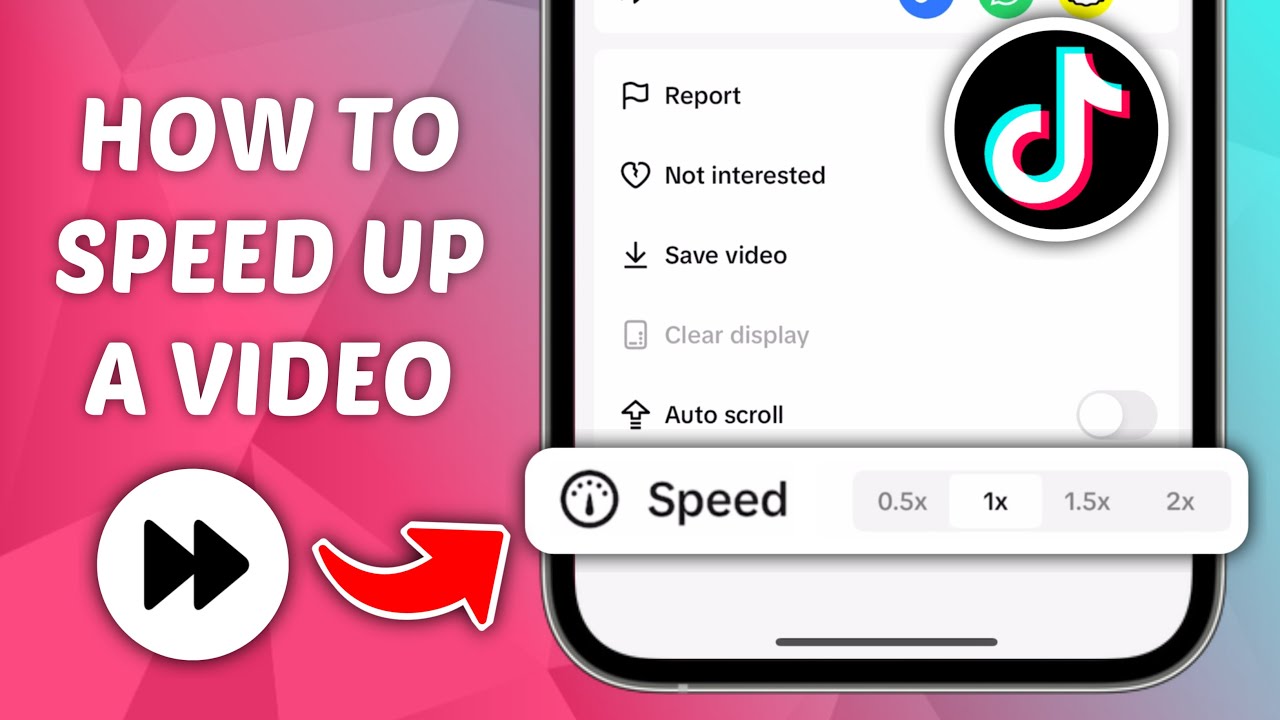
Changing the playback speed of a TikTok video can make your content more engaging, easier to follow, and more entertaining. Whether you want to create a fast-paced transformation, highlight a specific movement in slow motion, or watch a lengthy tutorial in less time, TikTok offers several ways to adjust video speed.
Speeding up a TikTok video
can be useful for content creators who want to shorten long processes, while
slowing down footage can emphasize details that viewers might otherwise miss.
However, the steps differ depending on whether you are recording a new video,
editing an existing clip, or watching someone else's content.
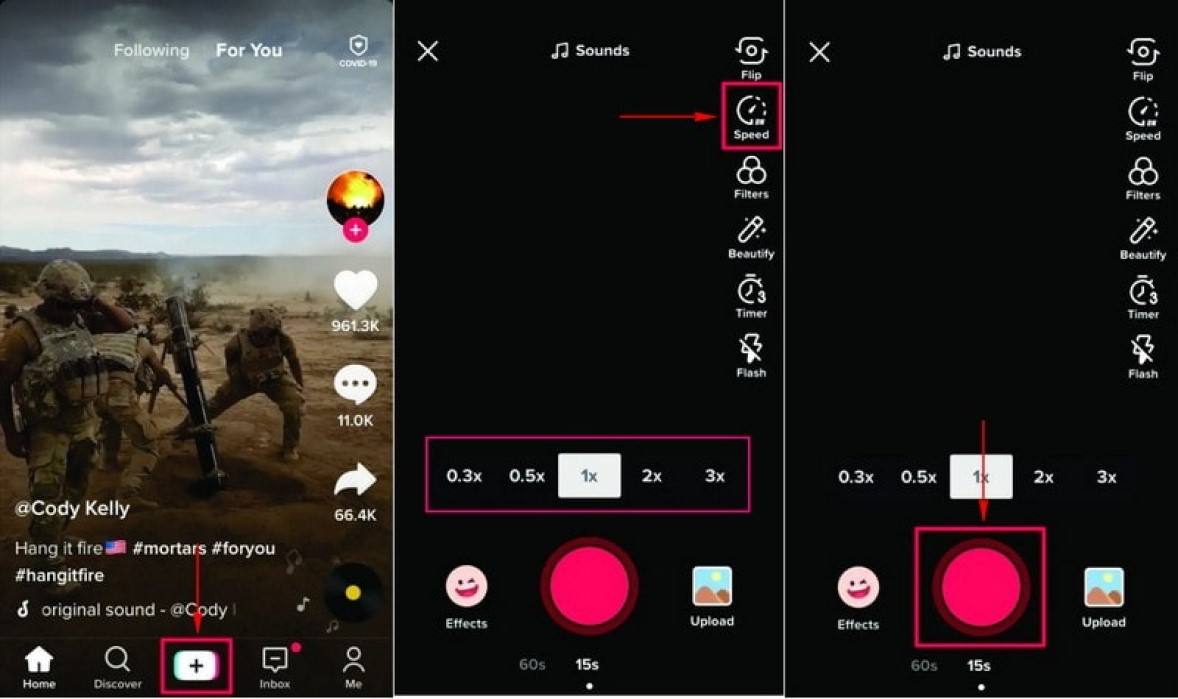
TikTok includes a speed tool in
its video recording interface. This feature allows you to choose a recording
speed before capturing your footage, making it easier to create accelerated or
slow-motion effects without relying on a separate editing application.
Follow these steps to change your
recording speed:
The 1x setting represents normal
speed. Depending on the options available in your version of TikTok, you may be
able to select faster or slower recording speeds.
Before filming an entire video,
consider recording a short test clip. This helps you understand how the
selected setting affects movement, timing, and audio.
Keep in mind that changing
recording speed can affect the way motion appears in the final video. It is
therefore worth experimenting with different settings before publishing your
content.
Speeding up a TikTok video
is particularly useful when you want to show a long process in a shorter amount
of time. For example, you could use accelerated footage to demonstrate a makeup
routine, document a drawing from start to finish, organize a room, or show how
a product is assembled.
To create this effect, open the
TikTok recording screen and select the Speed tool. Choose a setting faster than
normal speed, then begin recording. Your footage will reflect the selected
recording speed.
The ideal setting depends on the
type of content you are creating. A moderately faster speed may work well for
tutorials, while a more dramatic increase can make repetitive activities more
entertaining.
However, increasing the speed too
much can make important actions difficult to understand. This is especially
relevant for instructional videos, where viewers need enough time to follow each
step.
Speech also requires
consideration. Accelerating footage containing dialogue may make voices sound
unnatural or difficult to understand. If your video relies on spoken
explanations, consider recording at normal speed and editing selected sections
afterward.
The goal is not necessarily to choose the fastest available setting. Instead, select a speed that makes your video more engaging without sacrificing clarity.
Slow-motion footage can emphasize
movement, reveal details, and create a more dramatic visual effect. It works
particularly well for dance routines, sports movements, falling objects,
transitions, and other actions that happen quickly.
To record slow-motion footage
directly in TikTok, open the camera interface and select a speed below normal
playback speed. Record your video and preview the result before moving on to
the editing screen.
For the smoothest results,
consider the following tips:
If TikTok's built-in speed
options do not produce the result you want, you can record footage using your
phone's camera app. Some smartphones offer dedicated slow-motion modes that
provide additional control over the recording process.
You can then upload the resulting
clip to TikTok and continue editing it before publishing.
You do not have to create your
own content to benefit from playback speed controls. TikTok may also provide options
for adjusting the playback speed of videos you watch.
This feature can be helpful when
viewing long educational videos, tutorials, interviews, or other content that
takes several minutes to complete.
To check whether playback speed
controls are available:
The exact menu and available
speed settings can vary depending on your device, app version, and the video
itself.
Some versions may also support a
temporary fast-playback gesture when you press and hold the screen. This can
help you move through a video more quickly without permanently changing the
original content.
Remember that playback speed controls affect your viewing experience rather than the creator's original video file. Other viewers will continue to see the content in its published form unless the creator uploads an edited version.
Speeding up a TikTok video
can improve pacing, but the effect should support the message rather than
distract from it.
For example, a fast-paced montage
may benefit from accelerated footage, while a product demonstration may require
normal-speed sections so viewers can understand how the product works.
Music synchronization is another
important consideration. If you plan to add a soundtrack, review the timing of
your clips after changing their speed. Actions that previously matched the beat
may now happen too early or too late.
It is also helpful to combine
different speeds within a single video when your editing tools support this
approach. You could show a process quickly, return to normal speed for an
important detail, and finish with a brief slow-motion sequence.
This variation creates a more
dynamic viewing experience without making every scene feel rushed.
If you cannot find the speed
control, the first step is to identify whether you are recording a video or
watching someone else's content. These activities use different interfaces and
may offer different controls.
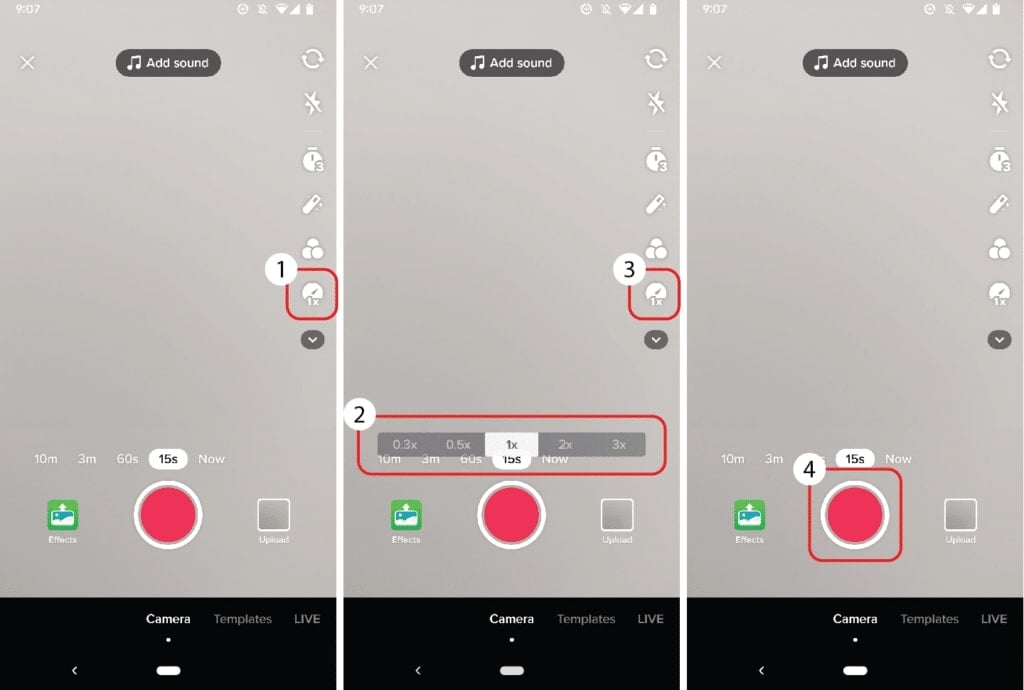
If you are recording, open the
camera screen and look through the available tools. The Speed option may appear
in a different location depending on your app version or device.
If you are watching a video,
press and hold the screen to check whether a playback speed menu appears. The
feature may not be available for every video or account configuration.
You can also try these
troubleshooting steps:
If the feature remains
unavailable, recording footage separately and uploading it to TikTok can be a
practical alternative.
Speeding up a TikTok video
or slowing it down is most effective when the selected speed matches the
purpose of your content. Fast footage works well for repetitive processes and
time-saving demonstrations, while slow motion can highlight important movements
and create visual emphasis.
Before publishing, watch your
video from beginning to end. Check whether the transitions feel natural, the
audio matches the footage, and viewers have enough time to understand what is
happening.
Experimenting with different
speeds is one of the easiest ways to discover your preferred editing style. By
combining thoughtful timing with clear visuals and suitable audio, you can make
your TikTok videos more engaging without relying on complicated editing
techniques.