How Can You Improve Spotify Song Quality?
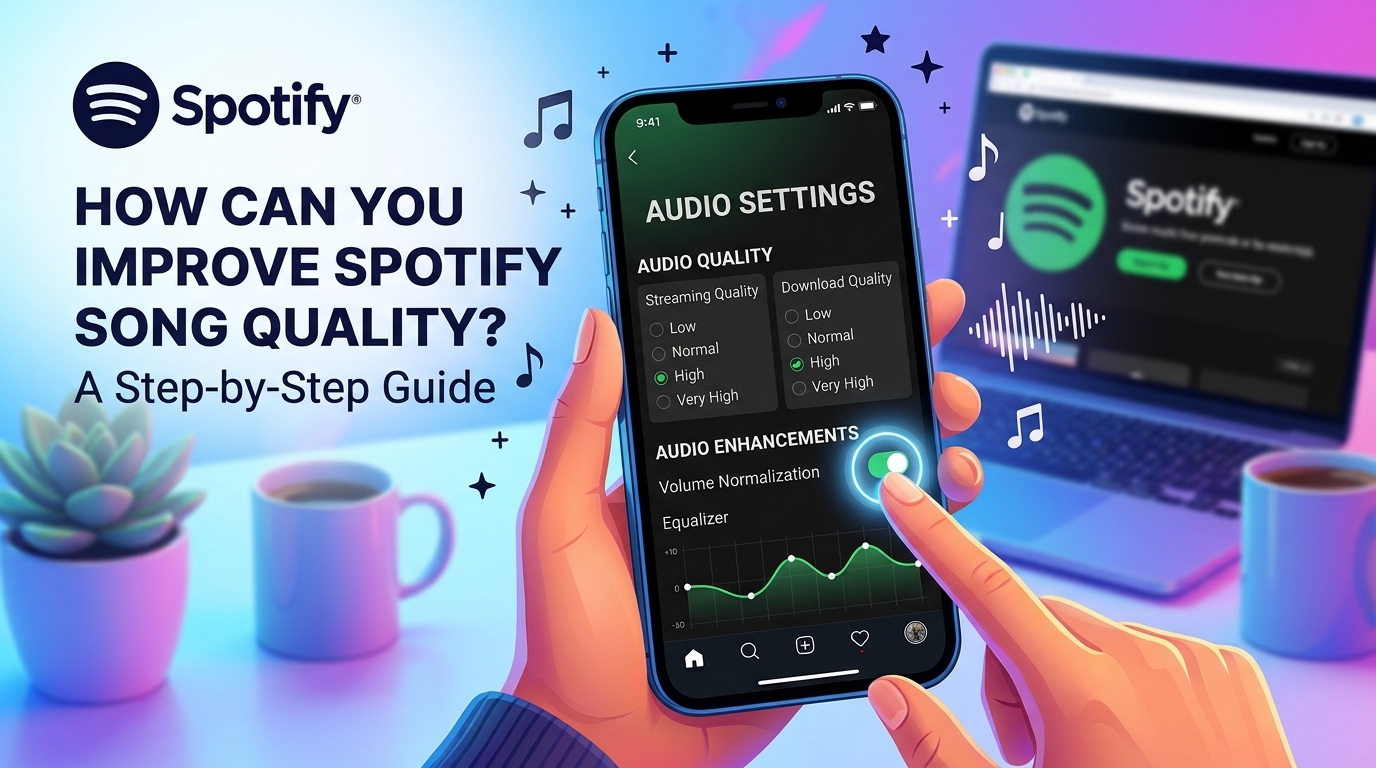
Listening to music on Spotify can feel different depending on your settings, internet connection, and audio equipment. Even when two people play the same track, they may not hear it in exactly the same way. Factors such as streaming quality, headphones, Bluetooth technology, and playback settings can all influence the listening experience.
If your favorite songs sound flat
or lack detail, adjusting the app's audio settings is a good place to start. Spotify
song quality enhancement involves more than simply selecting the highest
available option. You also need to consider your subscription, data usage,
downloaded music, and the capabilities of your headphones or speakers.
How Can You Increase Spotify Song Quality?
Spotify allows users to adjust
audio quality for streaming over Wi-Fi, mobile data, and offline downloads.
These settings help you balance sound quality with internet consumption and
storage requirements.
To improve your streaming
quality, follow these steps:
- Open the Spotify app on your smartphone.
- Tap your profile picture to access the settings
menu.
- Select Settings and privacy.
- Find the Media quality or Audio quality section.
- Choose a higher quality setting for Wi-Fi
streaming.
- Adjust the mobile data quality separately.
- Review the download quality option if you listen
offline.
The exact menu names may vary
depending on your device, application version, and available features. If you
cannot find a particular option, check the current settings menu for audio or
media quality controls.
For the best everyday experience,
consider selecting a higher quality for Wi-Fi and a more data-efficient setting
for mobile connections. This approach can help you enjoy clearer audio at home
without unnecessarily consuming your mobile data allowance.
Spotify song quality
enhancement is especially useful when your app is configured to use
automatic or lower-quality streaming. However, the highest setting is not
necessarily the best choice for every listener.
What Is the Highest Audio Quality Available on Spotify?
Spotify offers different audio
quality options depending on the account, device, and features available in
your region. Standard settings may include Low, Normal, High, and Very High.
For eligible Premium users, Very
High streaming has traditionally offered audio at up to 320 kbps. Spotify has
also introduced Lossless listening for eligible Premium accounts in supported
markets.
Lossless audio preserves more of the original audio information than lossy compression. This can be beneficial for listeners who want a more detailed listening experience, particularly when using suitable audio equipment.
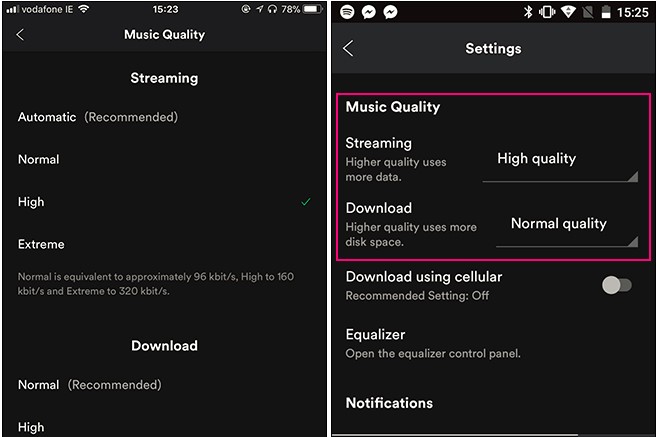
However, access to Lossless
depends on Spotify's current feature availability and account eligibility. If
you do not see the option, check your subscription and app settings before
assuming something is wrong.
It is also important to remember
that a higher bitrate does not automatically guarantee a dramatic improvement.
Recording quality, mastering, playback equipment, and personal hearing all
affect how noticeable the difference will be.
How Can You Improve the Quality of Downloaded Songs?
If you use Spotify Premium to
download music, you should check your offline audio settings separately from
streaming quality. Downloaded tracks can use a different quality level from
songs played directly over the internet.
Open Spotify's settings and locate
the media quality section. From there, look for the download quality option and
select the level that suits your listening preferences.
Higher-quality downloads
generally require more storage space. If you save hundreds of songs or entire
playlists, the difference can become significant over time.
Keep these points in mind when
adjusting your download settings:
- Check available storage: Higher-quality downloads
can occupy more space on your phone.
- Review existing downloads: Changing the setting may
not automatically upgrade every track already stored on your device.
- Redownload when necessary: If an existing song
remains at its previous quality, remove the download and download it again
using the new setting.
- Prepare for offline listening: Update your preferred
settings before traveling or entering an area with limited connectivity.
- Choose quality strategically: Large playlists may
benefit from a balance between audio quality and available storage.
These adjustments are
particularly helpful for people who listen to music during long journeys,
flights, or commutes where reliable internet access is not always available.
How Much Data Does High-Quality Spotify Streaming Use?
Higher audio quality generally
requires more data because Spotify needs to transmit more audio information.
The exact amount depends on the selected quality, track duration, listening
habits, and whether additional lossless features are being used.
If your mobile plan includes a generous data allowance, choosing higher-quality streaming may be convenient. However, users with limited data should consider the potential cost of streaming music at the highest setting throughout the day.
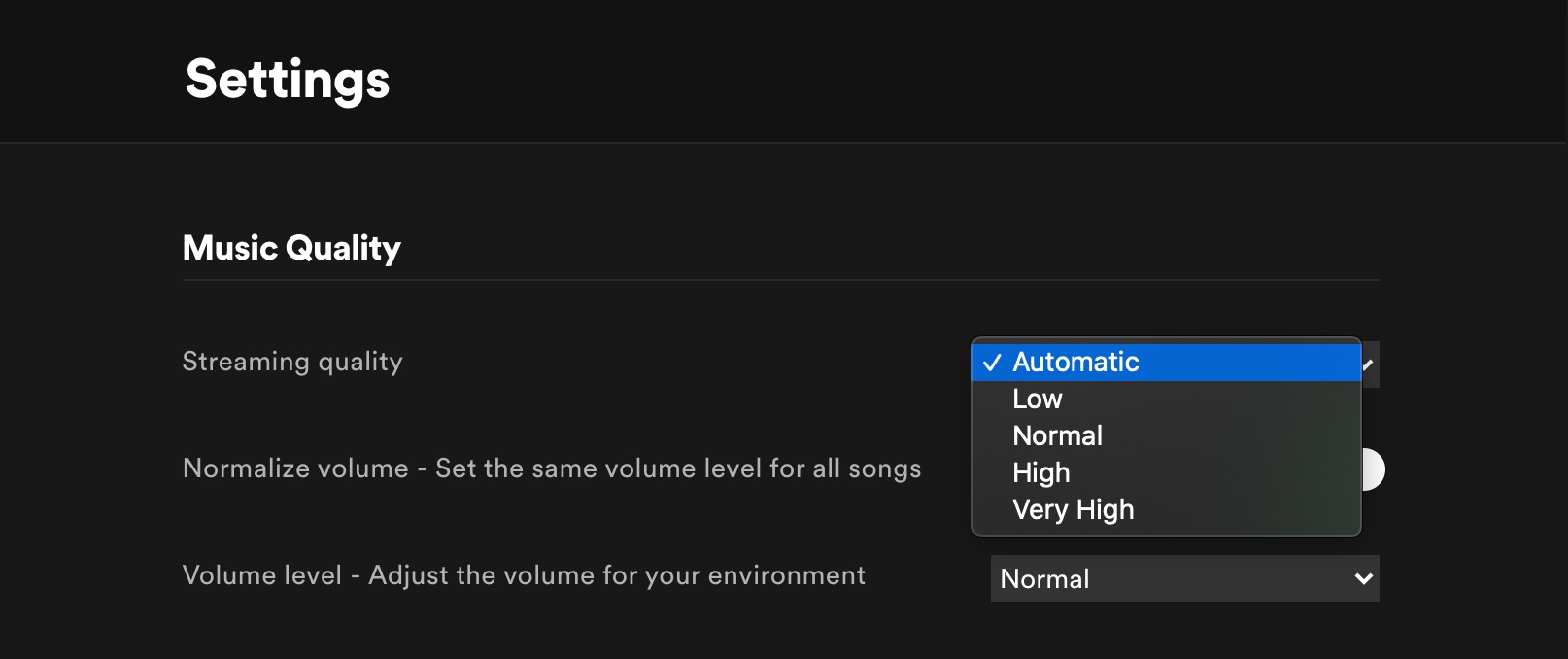
A practical solution is to
configure Wi-Fi and mobile streaming independently. You can prioritize audio
quality at home while selecting a more economical option when using cellular
data.
Connection stability also
matters. If your internet connection frequently slows down or disconnects, very
high-quality streaming may be less convenient than a setting that better matches
your available bandwidth.
Automatic quality can help the
app adapt to changing connection conditions. On the other hand, selecting a
fixed higher setting may suit users with a reliable connection who prefer to
control their listening preferences manually.
Spotify song quality
enhancement should therefore be approached as a balance between sound,
connectivity, and convenience rather than a race to select the highest
available number.
Why Does Spotify Music Sound the Same After Changing Quality?
You may increase the audio
setting and still struggle to notice a difference. This does not necessarily
mean the adjustment failed. Several other factors influence the sound that
ultimately reaches your ears.
First, consider your headphones
or speakers. Basic phone speakers may not reproduce subtle musical details
clearly enough for differences between streaming settings to become obvious.
Better headphones or a capable speaker system may reveal more detail, depending
on the recording and listening conditions.
Bluetooth is another
consideration. Even when Spotify streams high-quality audio, the wireless
connection between your phone and headphones can affect the final result.
Supported Bluetooth codecs and device capabilities influence how audio is
transmitted.
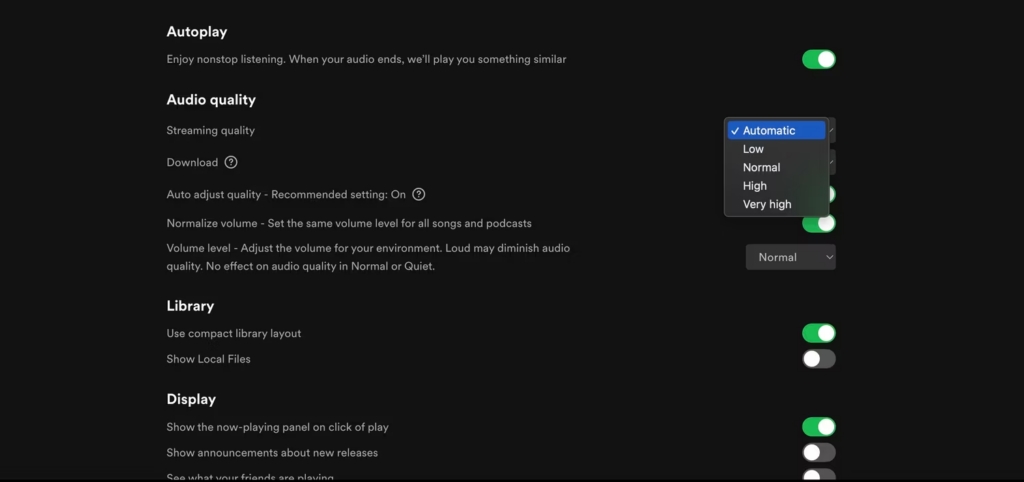
You should also review Spotify's
equalizer and volume normalization settings. Equalizer adjustments change the
balance of bass, midrange, and treble, while volume normalization helps manage
differences in perceived loudness between tracks.
If your music sounds dull, try
adjusting the equalizer carefully instead of relying exclusively on higher
streaming quality. Small changes can sometimes make a more noticeable
difference to your preferred listening experience.
Is Spotify Lossless Worth Using?
Lossless audio can be appealing
if you want to preserve more of the original recording's information. However,
whether it is worth using depends on your equipment, internet connection,
storage capacity, and listening preferences.
For casual listening through
ordinary phone speakers, the difference may be difficult to identify. With
suitable headphones or a quality sound system, some listeners may notice more
detail in particular recordings.
Lossless streaming can also
require substantially more data than conventional compressed audio. If you
primarily listen through mobile data, consider whether the potential
improvement justifies the additional consumption.
Before changing everything to the highest setting, compare the same song at different quality levels using the same headphones and a comfortable listening volume. This makes it easier to decide whether the difference matters to you.
What Is the Best Way to Improve Spotify Audio?
The best approach combines
appropriate app settings with equipment that suits your needs. Select higher
streaming quality when your connection supports it, adjust download settings
for offline listening, and monitor data and storage usage.
Spotify song quality
enhancement can help you get more from your music library, but your final
experience depends on the entire audio chain. A high-quality stream, stable
connection, suitable headphones, and well-mastered recording work together to
produce enjoyable sound.
Don't forget to check out the
services we offer at Apiseller to
stand out and gain popularity on Spotify!